
You are using an out of date browser. It may not display this or other websites correctly.
You should upgrade or use an alternative browser.
You should upgrade or use an alternative browser.
Image Server Test Comments & Feedback
- Thread starter lildog
- Start date
Lurker Carl
501 Club
I can't figure out how to post an image from the server, only as a URL. Does this capability exist?
Here's what I've got so far:
I mispoke in my earlier response to you. It appears that the resize tool is an admin-only feature. Registered users can crop and rotate images, but not resize them. By default, the image size limit is 1MB. I've adjusted that down to 512kb (1/2MB), but we may want to adjust down further. A typical 1024x768 jpg image (with 80% compression) is about 300k.
I have adjusted each user's private gallery disk quota to 5Mb instead of the default 1Mb. The math tells me I can support about 3500 users at this quota. I figure this will be more than enough for the short run.
Donny M":30cw1wgv said:I looked all over the site and played around a bit. I never did find anything to re-size the pictures. I can delete them and upload new files. This may be a problem with some of the users not re-sizing their pictures before the upload. Is there a way to limit the size of a single file before it's uploaded?
I mispoke in my earlier response to you. It appears that the resize tool is an admin-only feature. Registered users can crop and rotate images, but not resize them. By default, the image size limit is 1MB. I've adjusted that down to 512kb (1/2MB), but we may want to adjust down further. A typical 1024x768 jpg image (with 80% compression) is about 300k.
I have adjusted each user's private gallery disk quota to 5Mb instead of the default 1Mb. The math tells me I can support about 3500 users at this quota. I figure this will be more than enough for the short run.
Lurker Carl":30mc3e4s said:I can't figure out how to post an image from the server, only as a URL. Does this capability exist?
Scotty D":30mc3e4s said:I cant figure out how to post pictures in the forum used the tags and it did not work.
Unfortunately, this is a feature I thought the software had, but it appears it doesn't. Looks like the best we can do is post the link to the image gallery page containing the picture. This is a bit of a disappointment, but I don't think it derails the project.
Lurker Carl
501 Club
I figured early on I had to resize and reduce the file sizes before uploading to the new server. Ran out of space too fast. Easier to manipulate photos on Photoshop than what I came across on the server.
Posting a URL might be better in many cases than IMG. Many images tend to be oversized and tedious to download on dial up. We'll muddle thru!
Thanks for all your work, John. This is coming along pretty good so far.
Posting a URL might be better in many cases than IMG. Many images tend to be oversized and tedious to download on dial up. We'll muddle thru!
Thanks for all your work, John. This is coming along pretty good so far.
beaconlight":10letrr2 said:I need to be talked through loading pictures I am afraid. Can you help.
To upload a file, you have to first create a gallery to hold them.
Once you're logged in, make sure you are in admin mode. If you're in admin mode, you should see a menu option for "user mode" (I know it seems counter-intuitive, but clicking the link takes you to user mode). If the menu says "Admin Mode" instead, click that link to switch.
Once in Admin mode, you should see a small button bar just below the top menu.
Click "Create/Order My Albums"and click "New".
Change "New Album" to your desired name.
Click "Apply Modifications".
After you've done this, you should be able to post a picture by clicking that link and following the prompts.
It would definitely be nice to be able to stick an image straight into a post. Like this:
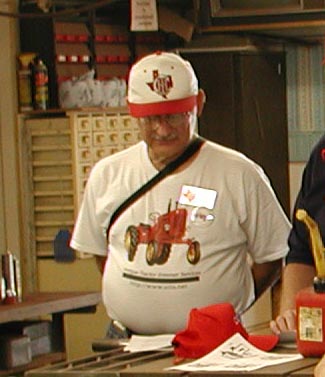
Does this need to be my new avatar?
Does this need to be my new avatar?
Lurker Carl
501 Club
I was just about to ask about posting to the Public Gallery. Good idea with the forum titles!
This would be a great place to download Cubfest and Cubarama pictures to.
Sorry, Jim. I just couldn't resist when I came across that picture. Better a red variety than the green one. Did you manage to post it directly from the photo server?
This would be a great place to download Cubfest and Cubarama pictures to.
Sorry, Jim. I just couldn't resist when I came across that picture. Better a red variety than the green one. Did you manage to post it directly from the photo server?
A
Anonymous
Guest
I just left click on the picture then click on properties. Highlight the url and copy then paste here:

Just like always :lol:
8)
Just like always :lol:
8)
George Willer
501 Club
Jim Becker":3m7zszvr said:It would definitely be nice to be able to stick an image straight into a post. Like this:
Does this need to be my new avatar?
That background looks very familiar!
John:
I didn't realize that there were probs inserting jpg's directly from the server to a post here. I tried it and it worked slick.
Once I figured out how to create an album etc., everything else went pretty well. I also resized my pics prior to uploading.
I am going to try resizing after the upload...
I am liking this....
I didn't realize that there were probs inserting jpg's directly from the server to a post here. I tried it and it worked slick.
Once I figured out how to create an album etc., everything else went pretty well. I also resized my pics prior to uploading.
I am going to try resizing after the upload...
I am liking this....

Mac from NS
501 Club

this should bring my picture up? It doesn't show a pic on preveiw.
Mac:
It comes up as removed... you have to link webshots the same way as the eBay pics in the How To Do Neat Stuff in a Post thread..
Lildog:
I liked both. Was confused for a few minutes until I realized that you were upgrading and tweaking.. The Albums are the best option, but if you can do what say Dennis does, and have say 1/2 dozen in the Public Forum rotate say every 5 or 10 secs, then the randomness is there, but does not become too over crowded.
I will go along with what everybody else finds useful.. but I like the idea of the Forum forlders as well as the User Albums.. works nice... you are doing a bang up job, really.. I AM VERY Impressed...
It comes up as removed... you have to link webshots the same way as the eBay pics in the How To Do Neat Stuff in a Post thread..
Lildog:
I liked both. Was confused for a few minutes until I realized that you were upgrading and tweaking.. The Albums are the best option, but if you can do what say Dennis does, and have say 1/2 dozen in the Public Forum rotate say every 5 or 10 secs, then the randomness is there, but does not become too over crowded.
I will go along with what everybody else finds useful.. but I like the idea of the Forum forlders as well as the User Albums.. works nice... you are doing a bang up job, really.. I AM VERY Impressed...
A
Anonymous
Guest
lildog,
Will we at some point be able to post bit map files :?: Tried tonight to no avail.
8)
Will we at some point be able to post bit map files :?: Tried tonight to no avail.
8)