
Here is a Visual Learners Tutorial for individuals who prefer to use Photobucket as an on-line hosting service. This tutorial shows how to upload pictures to Photobucket that are the correct size for viewing on the Farmallcub.com Forums. Posting pictures from a photo host is shown in How to Post a Picture for Visual Learners.
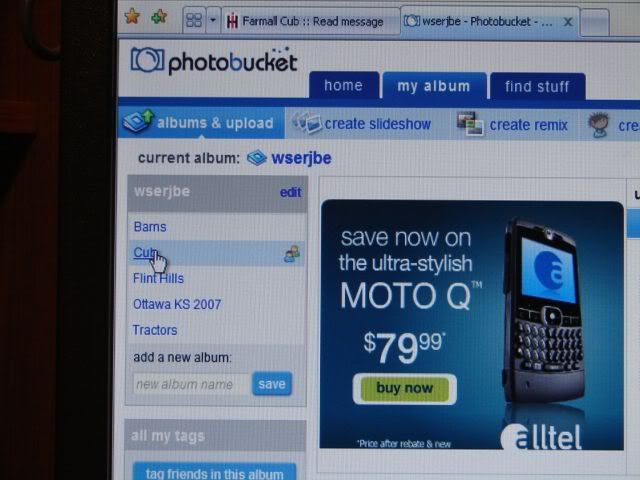
Select the Photobucket album where you want to save the pictures.
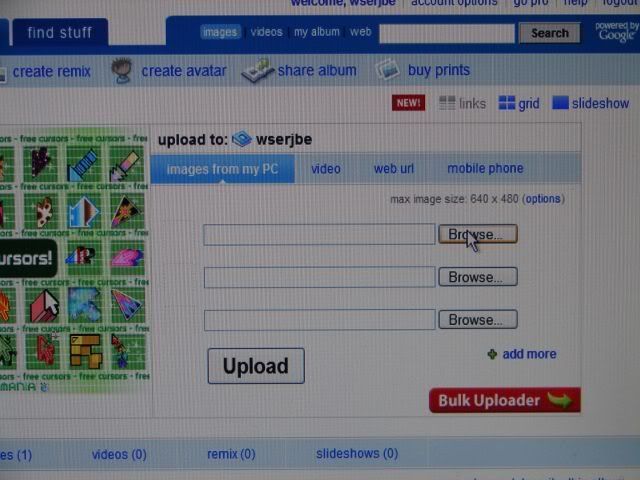
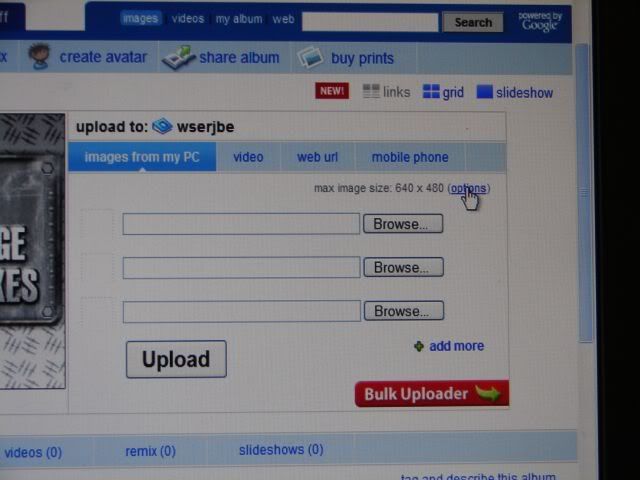
Select Browse
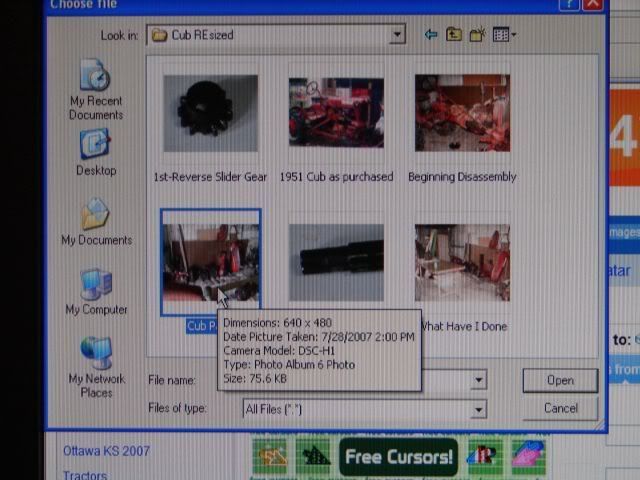
Select the resized (640X480) picture you want from your computer.
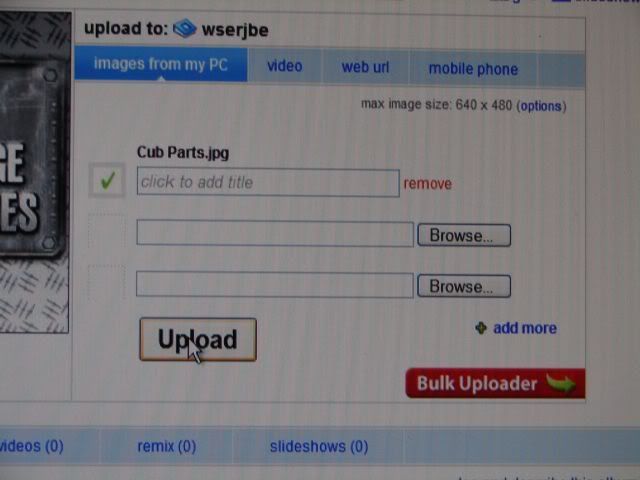
Browse for more pictures or Click Upload
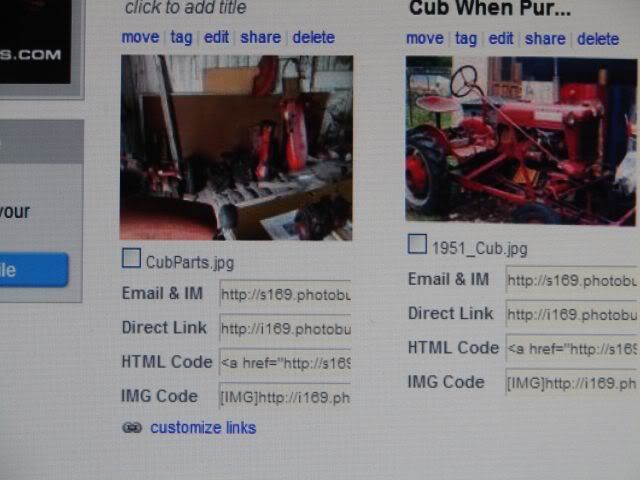
Thumbnail of your picture will appear in the album.
Optional - Photobucket can resize pictures while uploading if you select Options and choose the size. However it takes much longer to upload than it does when the pictures are already resized. I resize my pictures prior to uploading with IrfanView.
Good luck!
Ike
Select the Photobucket album where you want to save the pictures.
Select Browse
Select the resized (640X480) picture you want from your computer.
Browse for more pictures or Click Upload
Thumbnail of your picture will appear in the album.
Optional - Photobucket can resize pictures while uploading if you select Options and choose the size. However it takes much longer to upload than it does when the pictures are already resized. I resize my pictures prior to uploading with IrfanView.
Good luck!
Ike