
Let's see if some pictures help. Dial-up folks, I apologize for the number of pictures. 
1. Go to your photo host album and click on the thumbnail pic.
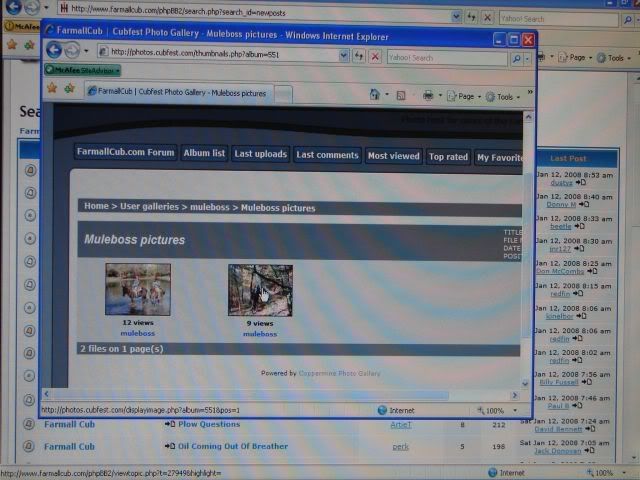
2. The thumbnail will change to a full size picture.
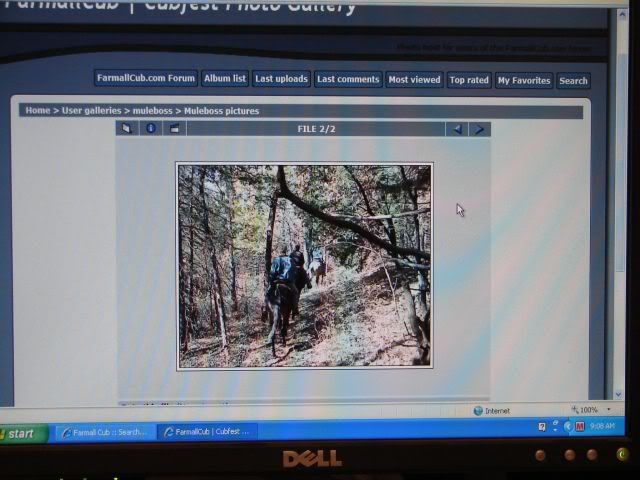
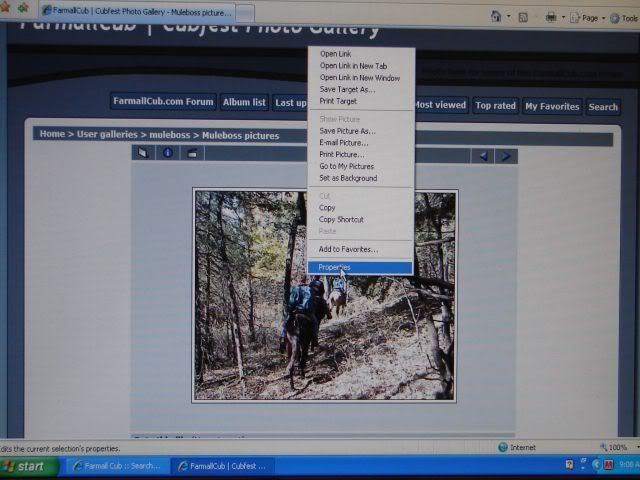
3. Right click on that picture and select properties.
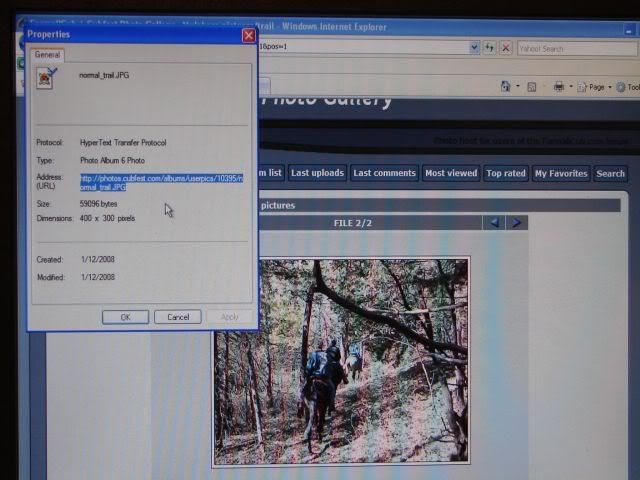
4. Highlight and copy the address.
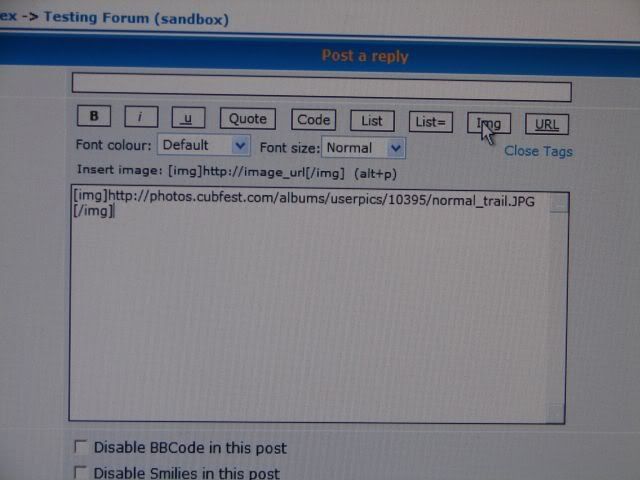
5. In the forum post area, click the "Img" button, paste the address you copied, and click "Img" or "Close Tags"
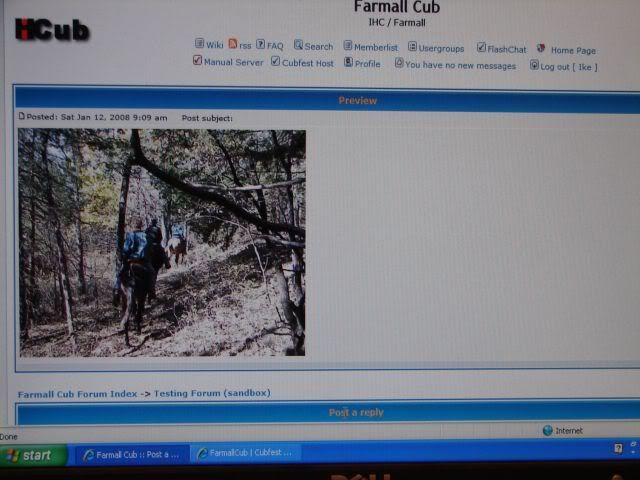
6. Click the preview button to see how it will look when submitted.
7. Submit.
Ike (can't teach without visual aids! :lol: )
1. Go to your photo host album and click on the thumbnail pic.
2. The thumbnail will change to a full size picture.
3. Right click on that picture and select properties.
4. Highlight and copy the address.
5. In the forum post area, click the "Img" button, paste the address you copied, and click "Img" or "Close Tags"
6. Click the preview button to see how it will look when submitted.
7. Submit.
Ike (can't teach without visual aids! :lol: )